
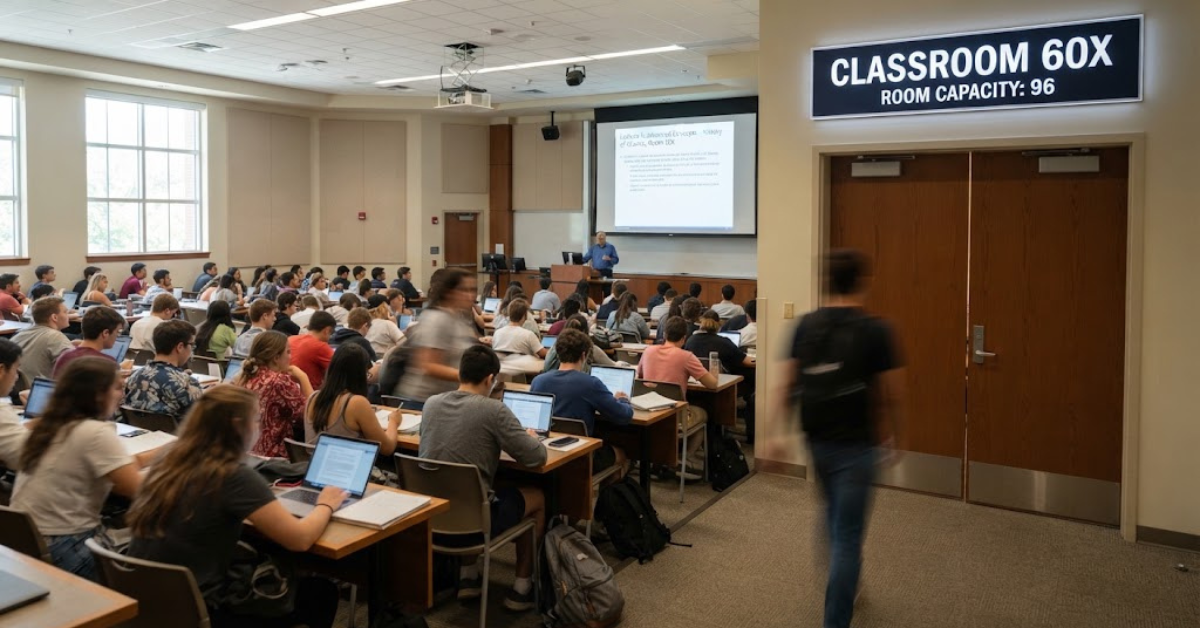
A name like Classroom 60x sounds as though it should be an educational platform. Search for it, however, and you’ll quickly discover something unexpected: many current results use the term for a website offering free browser-based games.
That creates some confusion. Classroom 60x is associated with unblocked games, school Chromebooks, quick browser entertainment, and large collections of titles. At the same time, other websites use the same phrase to describe a technology-enhanced learning approach involving collaboration, flexible classrooms, and digital tools.
So what exactly is Classroom 60x?
The answer depends on where you encountered the term. This guide explains the most common meaning, how the gaming version works, the potential benefits and risks, and why students and educators should be careful when using unfamiliar gaming websites.
What Is Classroom 60x?
In current search results, Classroom 60x most commonly refers to a browser-based gaming destination where users can play games without downloading traditional desktop software.
The main Classroom60x.com site describes itself as a collection of free online games for students and kids. Its catalog includes titles across racing, puzzle, sports, action, arcade, simulation, and multiplayer categories.
Examples listed on the site include:
- Run 3
- Fireboy and Watergirl
- World’s Hardest Game
- Vex
- Minecraft Classic
- Moto X3M
- Slope-style games
- Puzzle games
- Sports games
- Driving games
- Strategy and arcade titles
Many of these games are designed to run directly inside a web browser.
That means users generally don’t need to install a large application before playing.
How Classroom 60x Games Work
The basic idea is straightforward.
Instead of downloading a game onto a computer, you visit a webpage and launch a browser-compatible game.
A typical process looks like this:
- Open a browser.
- Visit the gaming site.
- Browse or search the available games.
- Select a title.
- Wait for the game to load.
- Play directly in the browser.
This model is particularly convenient on devices such as Chromebooks, where installing conventional desktop software may be restricted.
The Classroom60x.com site also says many of its games require no download, which helps reduce storage requirements and setup time.
Why Classroom 60x Is Popular With Students
The appeal isn’t difficult to understand.
A browser game can take only a few seconds to start, making it convenient for someone who has a short amount of free time.
The attraction generally comes from a combination of:
- Free access
- Browser-based gameplay
- Large game selection
- No traditional installation
- Short play sessions
- Familiar arcade-style titles
- Compatibility with many school computers
Some third-party coverage also describes Classroom 60x as a destination students search for when they want quick games during breaks or between assignments.
Of course, popularity doesn’t automatically make a website appropriate for every school environment.
Classroom 60x and “Unblocked” Games
One of the most common phrases associated with Classroom 60x is unblocked games.
The idea is simple: students often encounter school networks where gaming websites are restricted by web filters. Sites in the “unblocked games” category attempt to make browser games accessible through domains that aren’t blocked by a particular filtering system.
The Classroom60x.com site itself explicitly promotes access to games in school environments and describes its collection as “unblocked.”
However, there’s an important distinction between technically accessible and authorized for use.
A website being reachable on a school network does not necessarily mean the school permits students to use it.
School devices and networks may be subject to:
- Acceptable-use policies
- Content filtering
- Screen-monitoring systems
- Restricted websites
- Classroom rules
- Bandwidth limits
- Device-management policies
Students should follow the rules of the school or organization providing the device.
Is Classroom 60x an Educational Platform?
This is where the terminology becomes confusing.
Some websites use Classroom 60x as the name of an educational concept rather than a gaming website.
For example, education-focused articles describe it as a flexible learning model built around ideas such as:
- Active learning
- Collaboration
- Technology integration
- Flexible classroom layouts
- Creative problem-solving
- Student participation
- Interactive activities
However, there is no clear evidence that this educational concept and the browser-gaming website are parts of the same organization.
In other words, don’t assume every page using “Classroom 60x” is talking about the same thing.
If you’re searching for Classroom 60x because you saw a gaming link, you’re probably looking for the browser-game meaning. If you’re researching classroom design or teaching methods, you may encounter the separate educational interpretation.
What Games Can You Find on Classroom 60x?
The gaming site advertises a very broad collection.
Its catalog includes several major categories.
Racing games
Racing titles are particularly common on browser-game websites.
Examples listed by Classroom60x include driving, kart, motorcycle, highway, and stunt games.
These games tend to work well in short sessions because a player can start a race without needing to learn a complicated control system.
Puzzle and brain games
Puzzle games can include:
- Logic challenges
- Matching games
- Physics puzzles
- Pattern recognition
- Timing challenges
- Problem-solving games
These are often easier to fit into a short break than longer story-driven games.
Sports games
The site also lists games involving:
- Football
- Basketball
- Tennis
- Volleyball
- Boxing
- Golf
- Baseball-style challenges
The appeal is obvious: they provide recognizable gameplay without requiring a full sports simulation.
Action and arcade games
Arcade-style games are another major category.
These can include shooters, platformers, obstacle courses, survival challenges, and reaction-based games.
Because these titles are often designed around short rounds, they fit the browser-game format particularly well.
Are Classroom 60x Games Free?
The primary Classroom60x.com site describes its games as free to play. It also says users don’t need to download the games before playing them.
But “free” doesn’t necessarily mean completely without trade-offs.
A free website may still use:
- Advertising
- Embedded content
- Analytics
- Third-party game providers
- Cookies
- External links
The exact privacy and advertising practices can vary between domains and individual game pages.
That’s why users shouldn’t assume that every website carrying the Classroom 60x name has identical policies.
Is Classroom 60x Safe?
This is one of the most important questions.
There isn’t enough evidence to say that every site using the Classroom 60x name is automatically safe.
Third-party coverage points out that similarly named sites, mirrors, and clones can exist. That matters because a familiar name does not guarantee that every domain offering “Classroom 60x games” is operated by the same organization.
Before playing on an unfamiliar site, watch for warning signs.
Be cautious if a page:
- Opens repeated pop-ups
- Redirects you unexpectedly
- Requests unnecessary downloads
- Asks for personal information
- Requests browser permissions unrelated to gameplay
- Tells you to disable security software
- Prompts you to install an unknown extension
- Claims your computer has a virus
- Uses aggressive download advertisements
A browser game should not require you to surrender control of your computer just to start playing.
Classroom 60x on School Chromebooks
Chromebooks are commonly used in education, which helps explain why browser-based gaming sites attract attention from students.
Because many games run directly through a browser, they can work without traditional Windows or macOS installations.
But there are still technical and administrative limitations.
A school Chromebook may have:
- Managed browser settings
- Restricted extensions
- Blocked domains
- Limited permissions
- Network-level filtering
- Centralized monitoring
- Restricted downloads
If a school has deliberately blocked a website, trying to circumvent that restriction may violate the school’s acceptable-use policy.
The safest approach is to use games and websites that your school explicitly allows.
Can Classroom 60x Games Be Educational?
Some games can certainly support useful skills.
Not every game is educational, but gameplay can sometimes involve:
- Problem-solving
- Spatial reasoning
- Hand-eye coordination
- Planning
- Pattern recognition
- Memory
- Strategic thinking
- Persistence
The educational value depends heavily on the individual game.
A puzzle that requires logical reasoning is obviously different from a simple reaction-based arcade game.
That’s why educators should evaluate the actual activity, rather than assuming a game is educational simply because it appears on a site called Classroom 60x.
Classroom 60x as a Brain Break
Short gaming sessions can sometimes function as a recreational break.
The key word is short.
A five-minute activity between demanding tasks is very different from allowing gaming to consume an entire study session.
A sensible classroom or home routine might look like:
- Complete the assigned work.
- Take a short break.
- Choose an appropriate activity.
- Set a clear time limit.
- Return to the next task.
This approach keeps entertainment from replacing the work it was supposed to break up.
Potential Benefits of Classroom 60x
When used appropriately, browser-based games can have some practical advantages.
Easy access
Games can often be launched without complicated installation.
Variety
A large catalog gives users plenty of choices.
Short sessions
Many browser games can be played in just a few minutes.
Low storage requirements
Browser games generally don’t require installing a large local game package.
Simple controls
Many titles are designed to be immediately understandable.
These are practical benefits—not evidence that every game improves academic performance.
Potential Drawbacks of Classroom 60x
There are also obvious disadvantages.
Distraction
The biggest risk is simple: games can interfere with schoolwork.
Network bandwidth
Games can consume network resources, especially when many students access them simultaneously.
Advertisements
Free websites may rely on advertising.
Privacy
Third-party games and embedded services can involve tracking or analytics.
Inconsistent content
A large gaming catalog may contain titles that aren’t appropriate for every age group or educational environment.
School-policy conflicts
A website being accessible doesn’t necessarily mean it is permitted.
For these reasons, teachers and parents should evaluate the actual site and game rather than relying on the name alone.
Classroom 60x vs Traditional Educational Tools
It’s useful to understand what Classroom 60x gaming is—and what it isn’t.
A gaming portal is primarily an entertainment resource.
An educational platform such as a learning-management system is designed for activities like:
- Assignments
- Grading
- Attendance
- Course materials
- Assessments
- Teacher communication
- Student progress
A browser-game site generally isn’t a replacement for those systems.
Likewise, a game shouldn’t automatically be considered an educational tool simply because students play it on a school device.
How Teachers Can Use Browser Games Responsibly
If an educator wants to incorporate games into learning, there are safer ways to approach it.
Choose the game first
Don’t give students unrestricted access to a large game library.
Select a specific title that supports the lesson.
Set a time limit
Decide how long the activity should last.
Explain the learning objective
Students should know why they’re playing.
For example:
“This game is being used to practice spatial reasoning.”
That’s more effective than simply saying:
“You can play for ten minutes.”
Test the game beforehand
Check:
- Content
- Advertisements
- Controls
- Sound
- External links
- Privacy concerns
- Device compatibility
Have a backup activity
Websites can go offline or be blocked by network filters.
A classroom shouldn’t depend entirely on one external website.
How Students Can Stay Safe While Using Classroom 60x
If your school permits browser gaming, follow a few basic rules.
- Don’t download unknown programs.
- Don’t install unfamiliar browser extensions.
- Don’t enter passwords into random gaming pages.
- Don’t provide personal information unnecessarily.
- Don’t click suspicious advertisements.
- Don’t follow unexpected redirects.
- Keep your browser updated.
- Follow school device policies.
- Close the site when your break ends.
- Tell a teacher or administrator if you encounter something suspicious.
These habits are useful far beyond Classroom 60x.
Why There Are So Many Classroom 60x Sites
One reason the topic can be confusing is that the name appears across multiple domains and articles.
Some websites present Classroom 60x as a gaming portal. Others discuss it as an educational framework. Still others use similar names such as Classroom 6x.
That means the URL matters.
Don’t assume that two websites with nearly identical names are operated by the same company.
Before entering information or downloading anything, check:
- Domain name
- About page
- Privacy policy
- Contact information
- Publisher identity
- Website reputation
A recognizable keyword isn’t proof of authenticity.
Frequently Asked Questions
What is Classroom 60x?
Classroom 60x is most commonly used online to describe a browser-based gaming site offering free games that can be played without conventional installation. The same phrase is also used by some websites to describe a broader educational concept, so context matters.
Is Classroom 60x a school learning platform?
Not necessarily. The prominent current use of Classroom 60x refers to browser games rather than a conventional learning-management system. Some unrelated articles use the phrase for an educational model, but those appear to be separate interpretations.
Are Classroom 60x games free?
The main Classroom60x.com site describes its games as free to play and says many require no downloads.
Does Classroom 60x require downloads?
The main site says its browser games can be played without downloading traditional game software. However, users should never install additional software simply because an unfamiliar game page requests it.
Is Classroom 60x safe?
Safety depends on the exact website, game, advertisements, and content being accessed. Because similarly named sites and mirrors can exist, don’t assume every Classroom 60x domain has identical security or privacy practices.
Can I use Classroom 60x at school?
That depends on your school’s network and acceptable-use policies. A website being technically accessible does not mean students are authorized to use it during class.
What types of games are on Classroom 60x?
The catalog includes racing, sports, puzzle, action, arcade, simulation, multiplayer, and other browser-game categories. The primary site lists games ranging from classic titles to newer browser games.
Is Classroom 60x educational?
Some individual games may support skills such as problem-solving, coordination, or strategic thinking. However, the gaming website itself should not automatically be treated as an educational platform.
What is the difference between Classroom 60x and Classroom 6x?
They may refer to different websites or similarly named gaming portals. Because these names are used across multiple domains, check the exact URL rather than assuming they are the same service.
Can teachers use Classroom 60x for brain breaks?
Potentially, if the school’s policies permit the site and the teacher has evaluated the specific game. A short, supervised activity can be very different from unrestricted access to a large gaming library.
Conclusion: What You Should Know About Classroom 60x
Classroom 60x is an unusually ambiguous term. In current search results, its most prominent meaning is a browser-based gaming destination offering free, no-download games, particularly titles that appeal to students and users on school-style devices. At the same time, unrelated websites use the same phrase for educational models involving technology, collaboration, and flexible learning.
If you’re interested in Classroom 60x games, the practical questions are more important than the name itself. Check the exact domain, understand what the site is offering, watch for advertisements and redirects, and never assume that a website is safe or school-approved simply because it uses an education-related name.
For students, the biggest consideration is balance. Browser games can be a quick way to relax during an approved break, but they can also become an easy distraction from assignments.
For educators and parents, the best approach is to evaluate individual games, set clear boundaries, and choose activities that genuinely support the intended learning or break-time goal.
Ultimately, Classroom 60x is best understood by its context—not simply by its name. If you know whether you’re looking for the gaming website or the educational concept, it becomes much easier to find the information that actually applies to you.